For students of our three colleges. Your college pays for it.
Your classroom,
wherever you study.
Homeroom counts the hours you actually studied, and turns your own notes into flashcards, summaries and practice tests.
Four things, done properly
And nothing in the way of them.
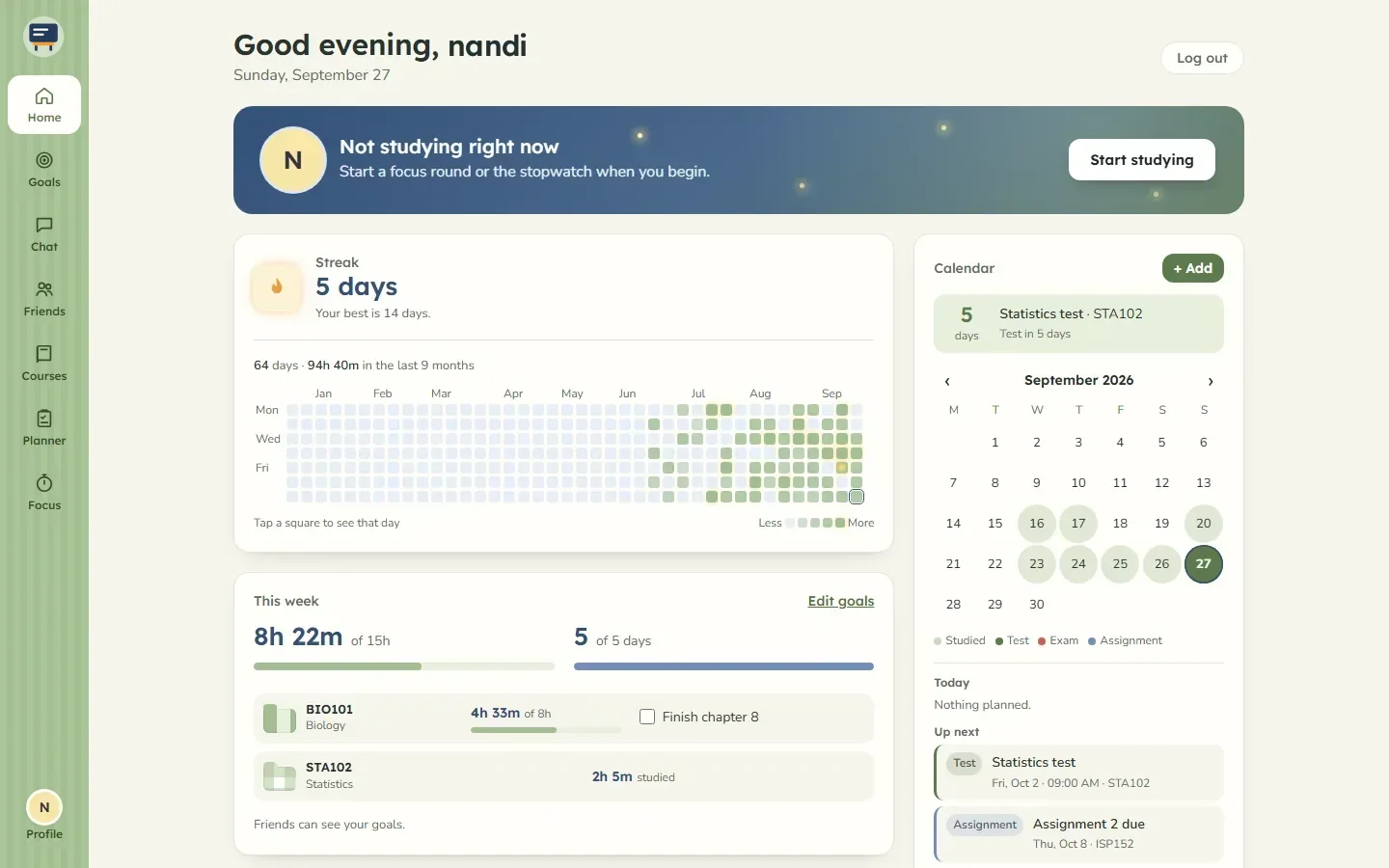
A timer that only counts what you sat through
Start it when you sit down. Pause and the clock stops. Look at another tab and it pauses by itself, and carries on if you are back within five minutes. Close Homeroom altogether and that grace is a minute. Either way the session ends where you left it, not where you came back.
Set the hours and days you want each week, then watch a year of study days fill in, one square at a time.
Study material made from what you already have
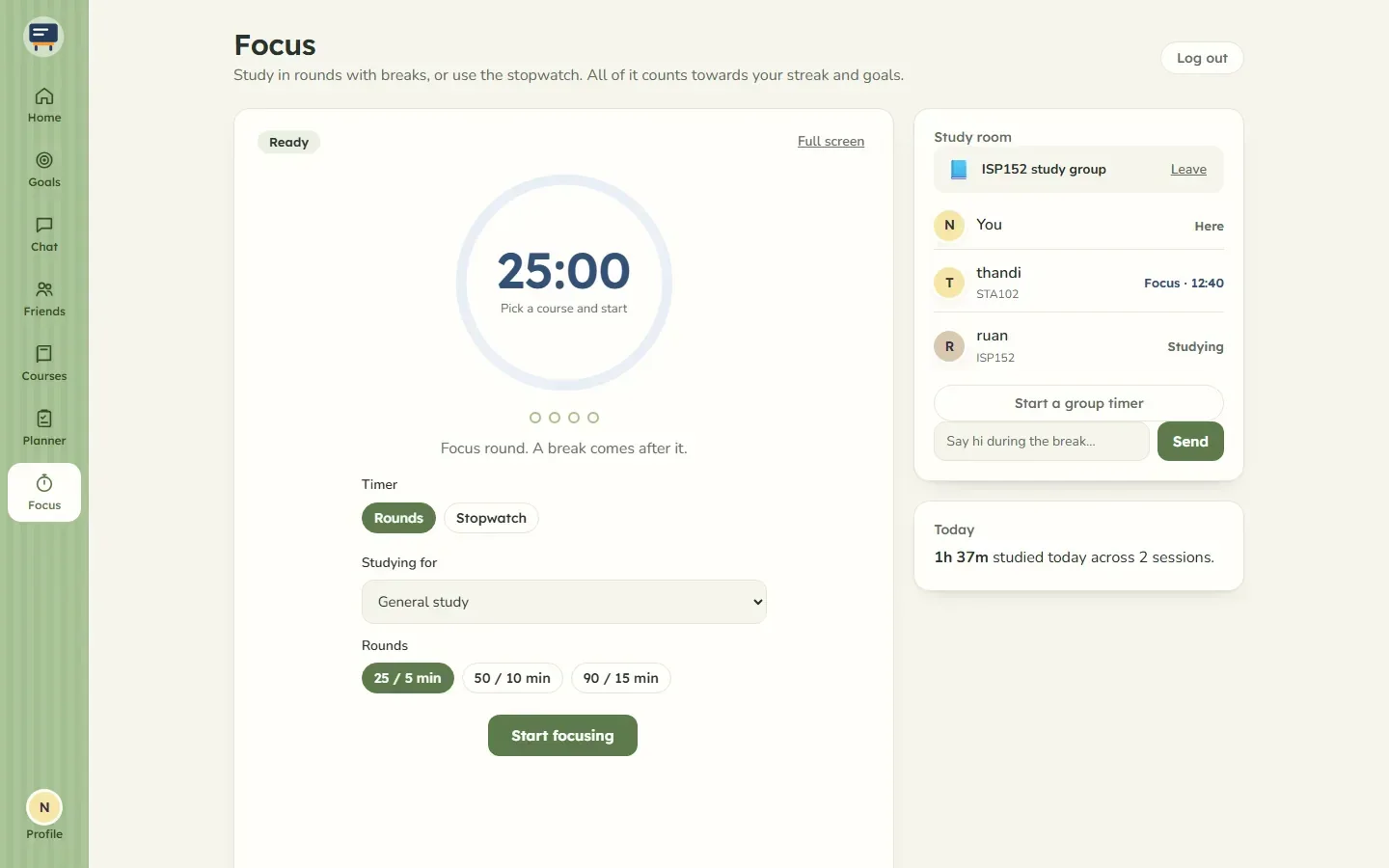
Drop in a PDF, a PowerPoint or a Word file and the text comes out inside your browser — the file itself is never uploaded. From those notes Homeroom writes summaries, flashcards, practice tests and a study guide.
Cards you find hard come back sooner. A study guide tells you when the notes behind it have changed, and rewrites itself when you ask.
Plan it once, then get on with it
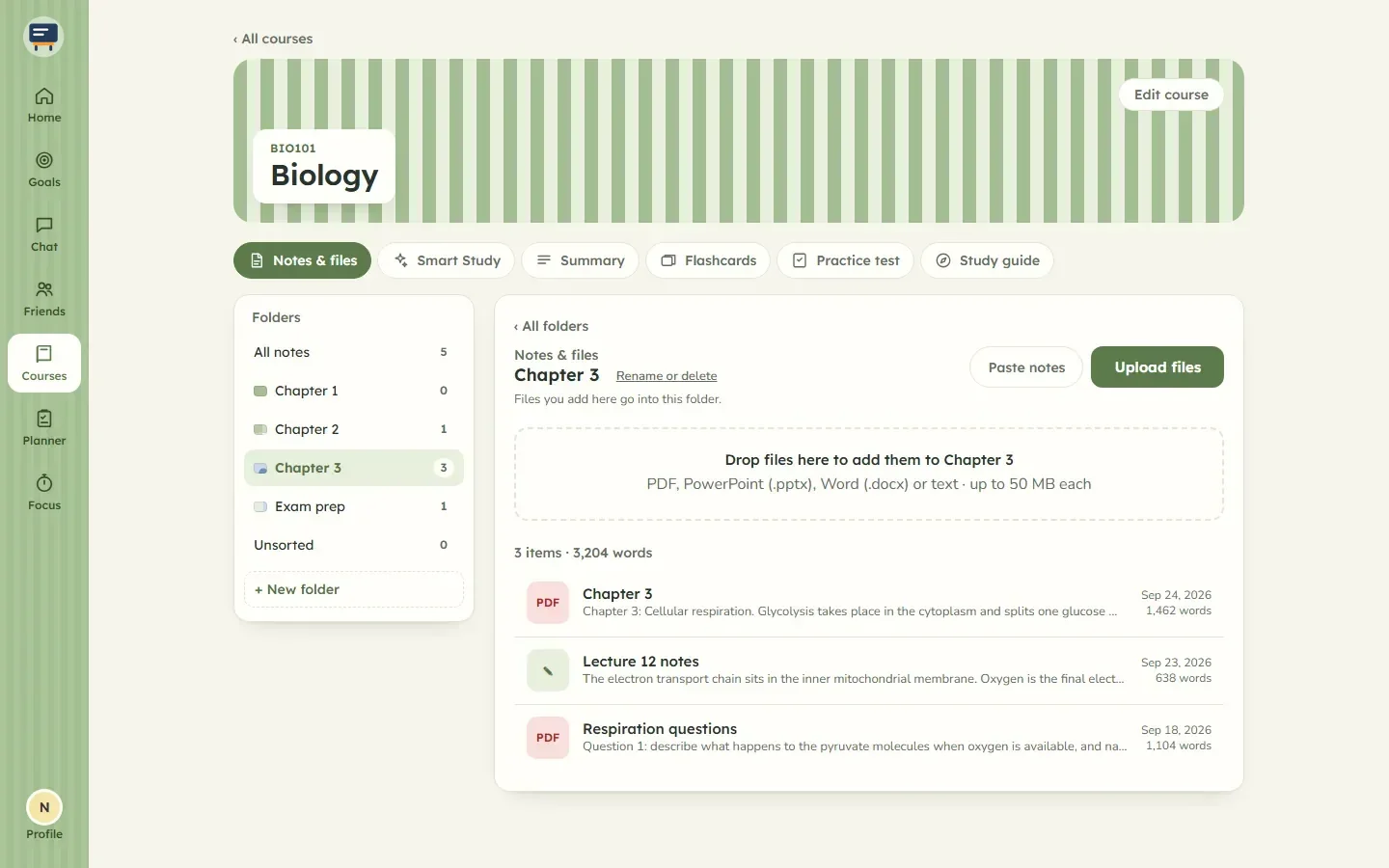
Block out study time on a weekly timetable, keep a to-do list, and count down to tests and assignment due dates. The whole semester sits on one line, so you always know where you are in it.
Company, not an audience
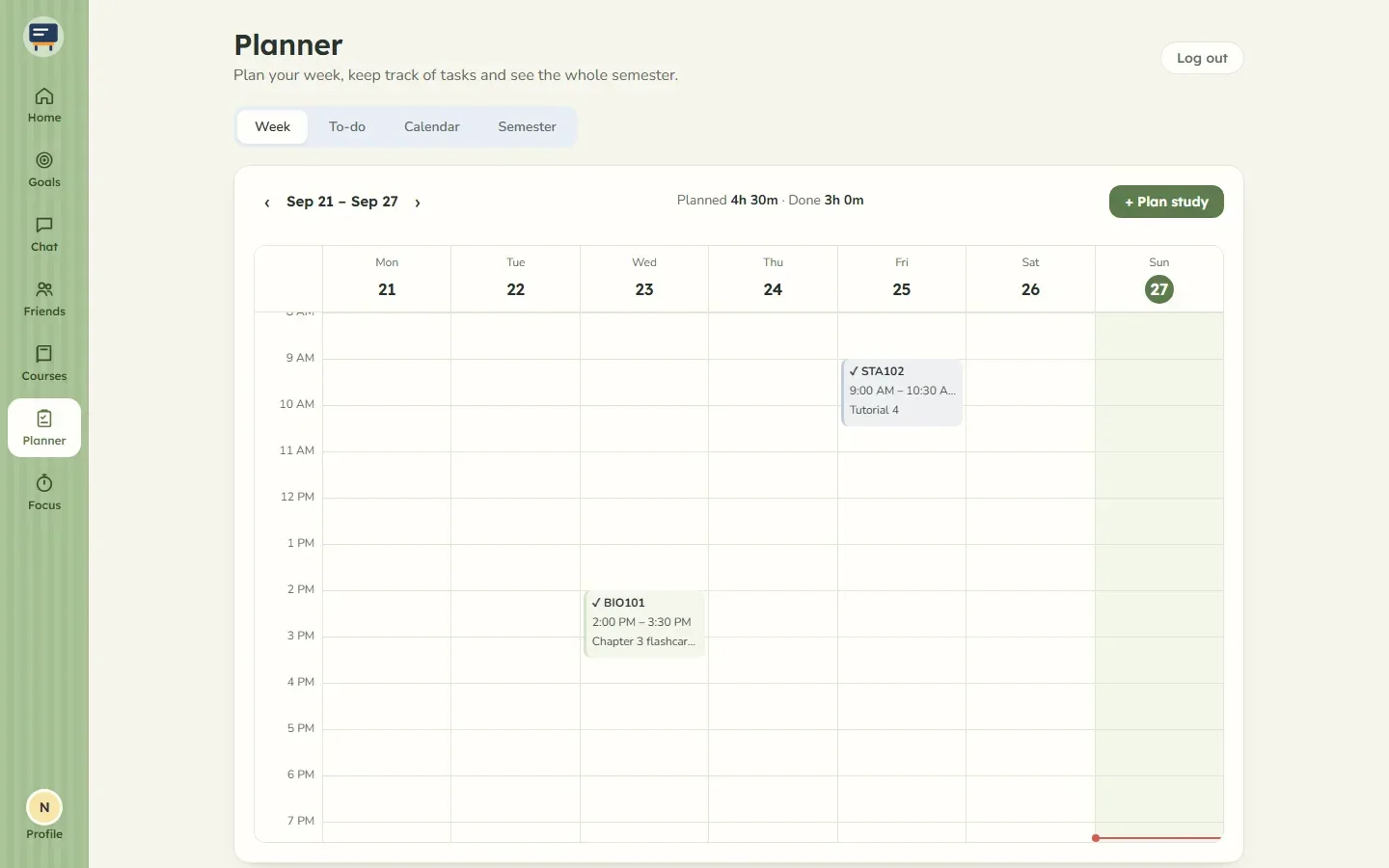
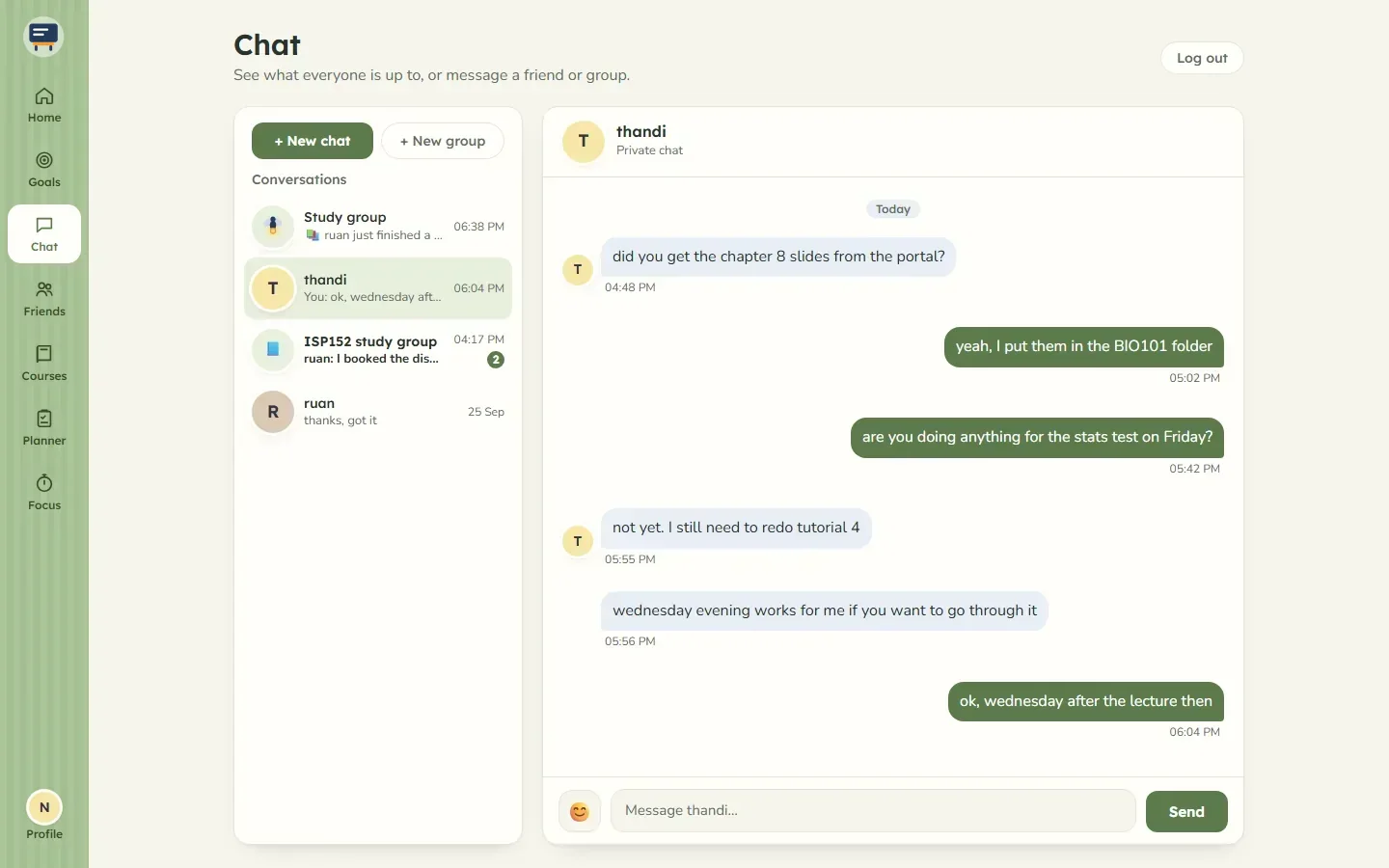
Add the friends you actually study with. You see each other's streaks and study time, and nobody else does. Study rooms come from your group chats, so your breaks line up — and the chat only opens while you are on one.
In partnership with
Studying at one of these colleges?
Homeroom is for the students of Skills Academy, Matric College and Bellview Institute of Distance Learning. Your college pays for it, and nothing is held back for a paid version.



Fifteen themes. Try one now.
Pick one and this page changes with it, exactly the way the app does. Your choice is kept for when you sign in.
Each theme brings its own course covers, folders and cursor.
How a week goes
Three things to do, then you are studying.
-
Make a course
Add your subject, then drop your slides, PDFs or typed notes into it.
-
Pick what to make
Flashcards, a summary, a test or a study guide: one button each.
-
Start the timer
Study in rounds or on the stopwatch. Your hours, streak and week fill in as you go.
-
See the week
By Sunday it is counted, and the week becomes one more column in your year of study days.
The rules it keeps
Most study apps count generously and share by default. Homeroom does neither, and the rules sit in the product rather than in a policy.
- A paused timer is not study time. Nothing is counted that you did not sit through.
- Friends-only, enforced by the database. Your study time, streaks and goals reach your friends and nobody else. Your courses, notes and planner reach nobody at all.
- People, not scripts. Making an account needs a working email address and a human check behind it.
- “Online now” says only whether you have Homeroom open, and whether you are studying. Not what you are studying, and not where you are.
- Deleting a course or a folder tells you what it will take with it, and gives you eight seconds to undo it.
- Blocking is complete. Blocked people cannot find you, message you, or see you anywhere in Homeroom.
Questions people ask
Do I have to pay anything?
No. Your college pays for Homeroom so that you do not have to. Make an account, confirm your email address, and everything is there. There is a daily limit on how much study material you can generate, which keeps the cost sane. Nothing else is capped at anything you would reach in a degree.
What does it cost?
Nothing, to you. Your college covers it, there is no paid version and no card is asked for. If that ever changes you will get an email before it does, and nothing you have made will be taken away. If that ever changes you will be told before it does, not after.
Can my friends see my notes?
No. Friends see your study time, streak, weekly goals and the updates you share. Your courses, notes, files and planner are yours alone.
Is there an age limit?
Yes. Homeroom is for people aged 18 and over.
Does it work on my phone?
Yes. Everything works in a phone browser, with the main pages along the bottom and the rest behind More.
What happens to the files I add?
The text is pulled out of them inside your browser and only that text is saved. The file itself never leaves your device.
Start with one week
Set a goal for the week, put your notes in, and see by Sunday how much you actually studied.
Make an accountAlready here? Log in