Home · where the week stands
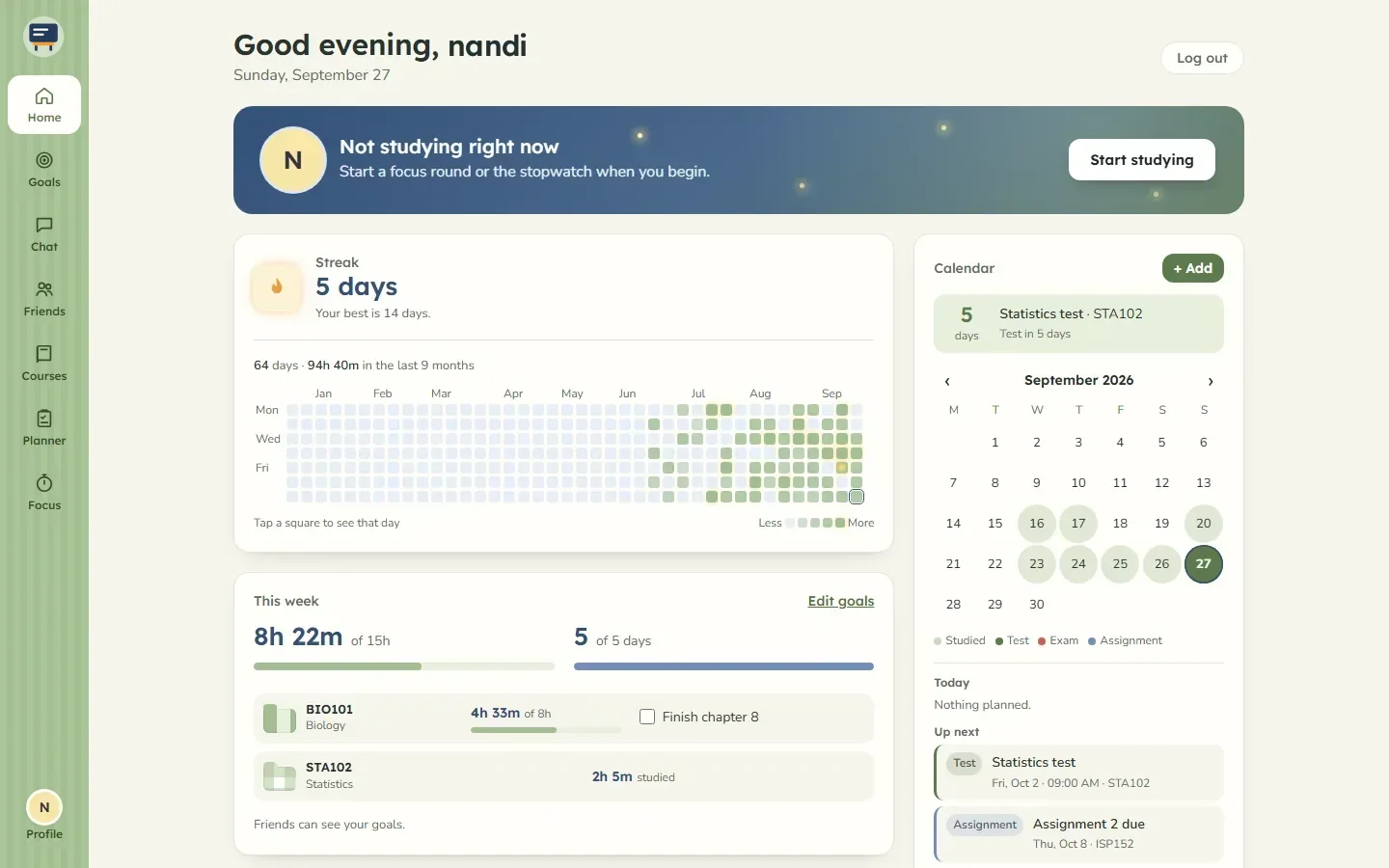
The first screen answers one question: am I on track?
The banner across the top is the study timer, either running or waiting to be started. Below it sits the streak, a year of study days as a grid that glows brighter on the days more time went in, and this week measured against the hours the student set for themselves. The calendar on the right carries tests, exams and assignment due dates, with the next one always in view.
The hours on this screen are counted honestly. A paused timer counts nothing, a tab left open over lunch counts nothing, and time is never added back later. How the timer counts.
Courses · their own material
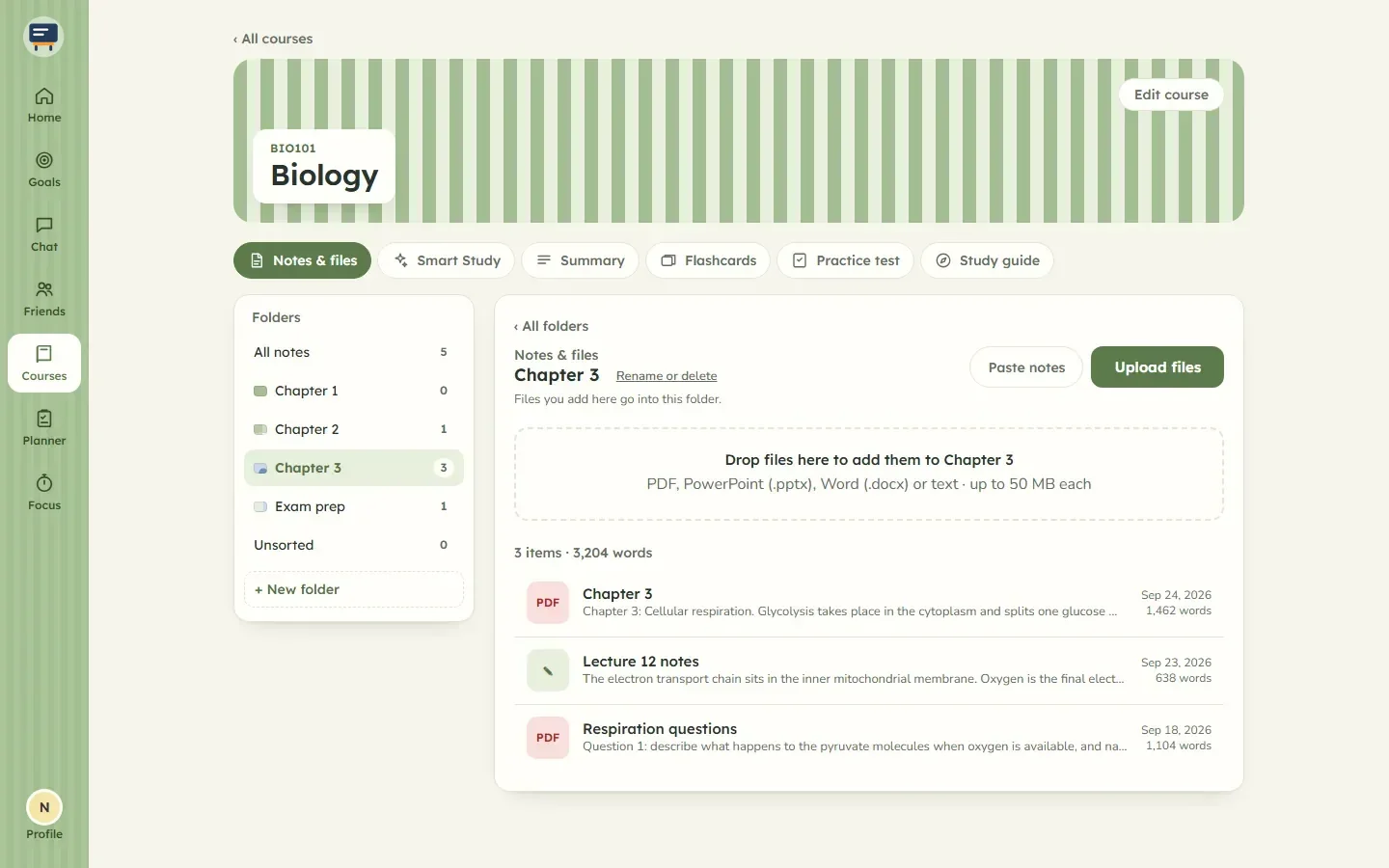
Each course holds the student's notes, slides and PDFs, in folders they name themselves — usually by chapter.
The row of tabs above the folders is what the material turns into. Flashcards, scheduled so the cards they keep getting wrong come back sooner. A summary of what has to be learnt. A practice test that is marked, with wrong answers pointing back at the section they came from. A study guide drawn from the whole course. Every one of them is generated from the files in that course and nothing else, so the wording, the emphasis and the numbering are their lecturer's.
Files are read in the browser. Up to 50 MB each, as PDF, PowerPoint, Word or plain text.
Timetable · the week laid out
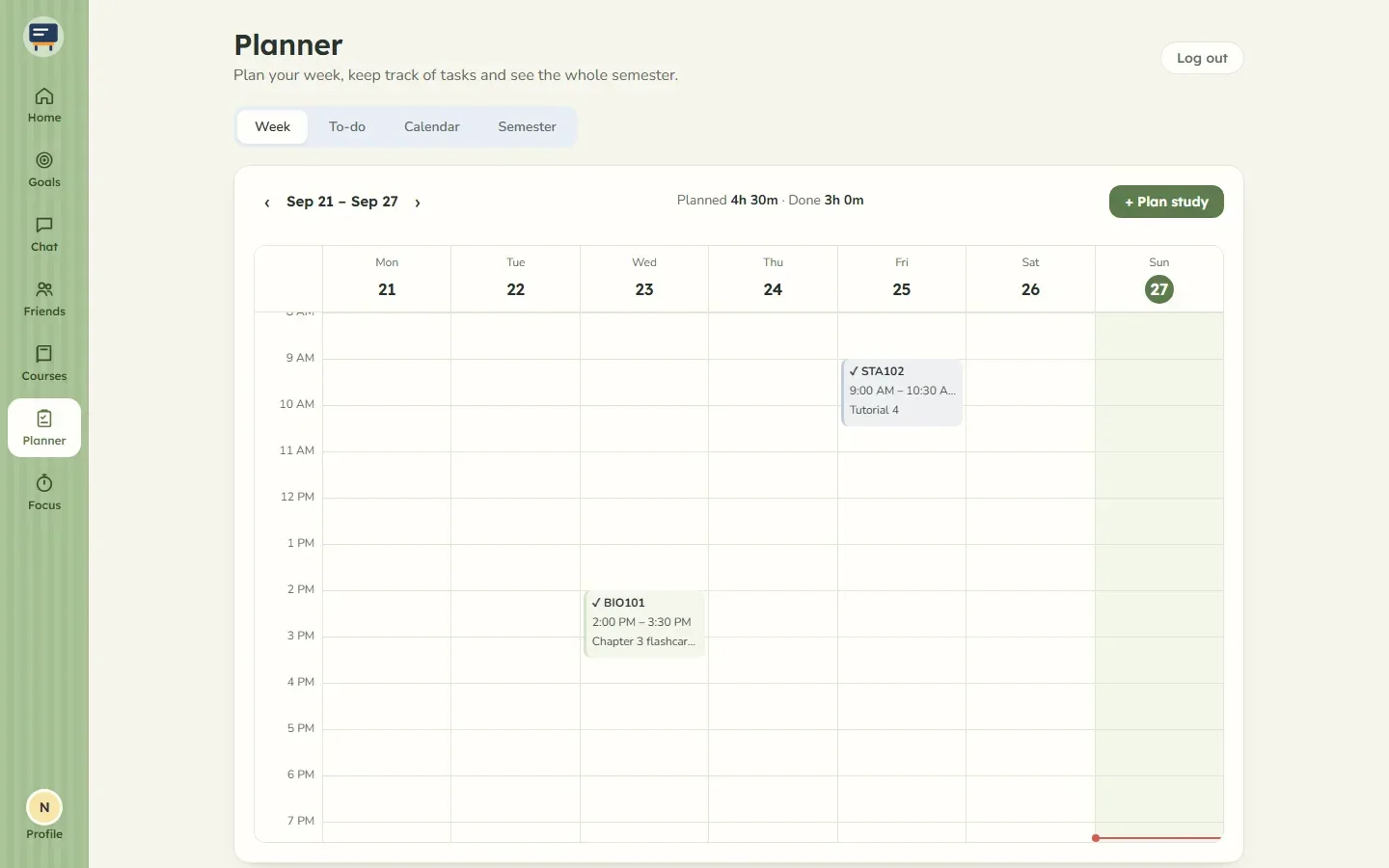
A week at a glance, with planned study blocks on it and a running count of what was planned against what was actually done.
A block names the course and what it is for, and opens the timer with that course already chosen, so planning and studying are the same motion rather than two. Behind the week view there is a to-do list, a month calendar and a whole semester.
Session · the timer and study rooms
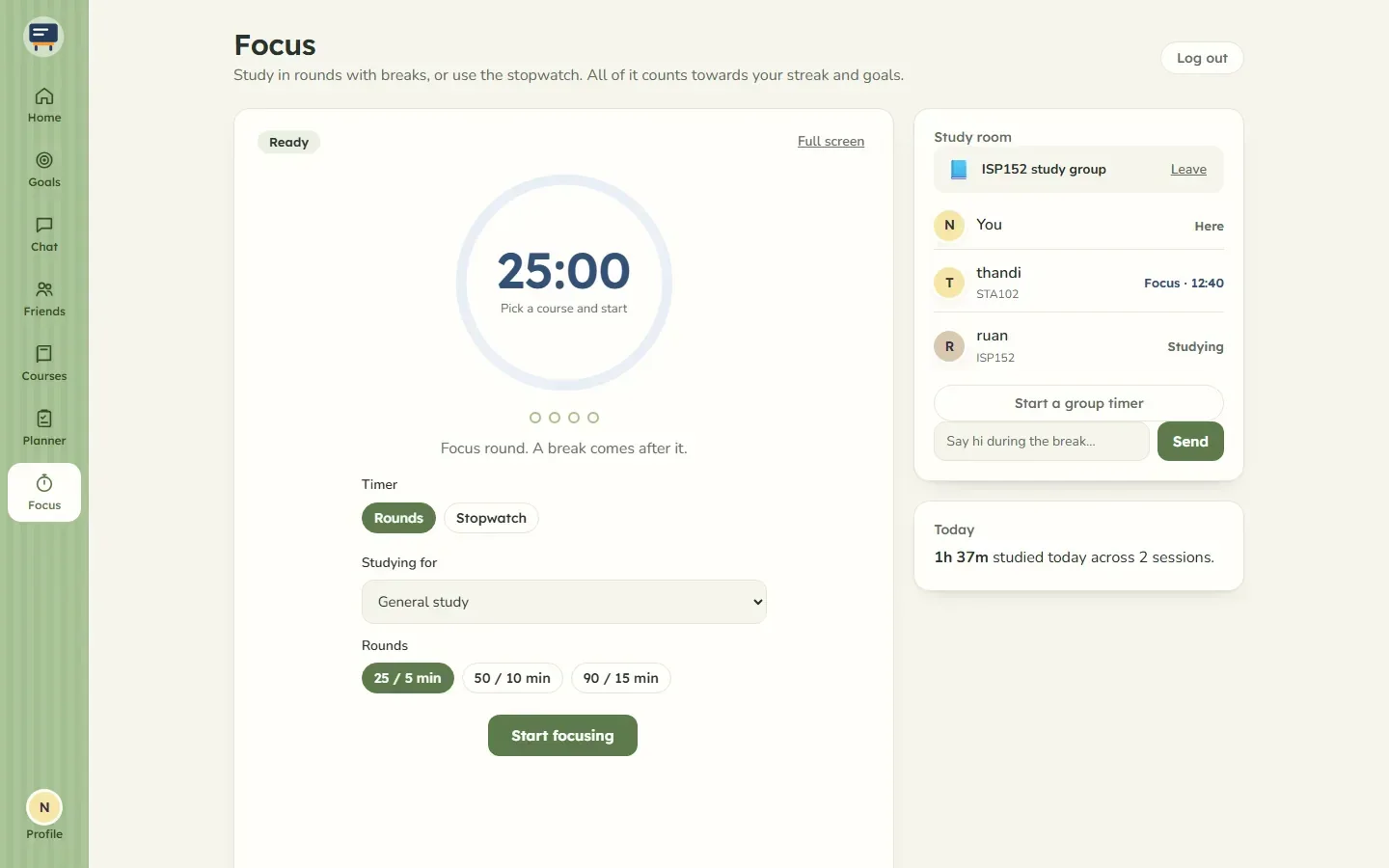
Two ways to study: rounds, at 25/5, 50/10 or 90/15 minutes, or a plain stopwatch for work that does not break into neat blocks.
On the right is a study room. The friends in it appear with their own timers running live, and one person can start a group timer so everyone's rounds and breaks line up. The room's chat only opens during a break, which is the point of it.
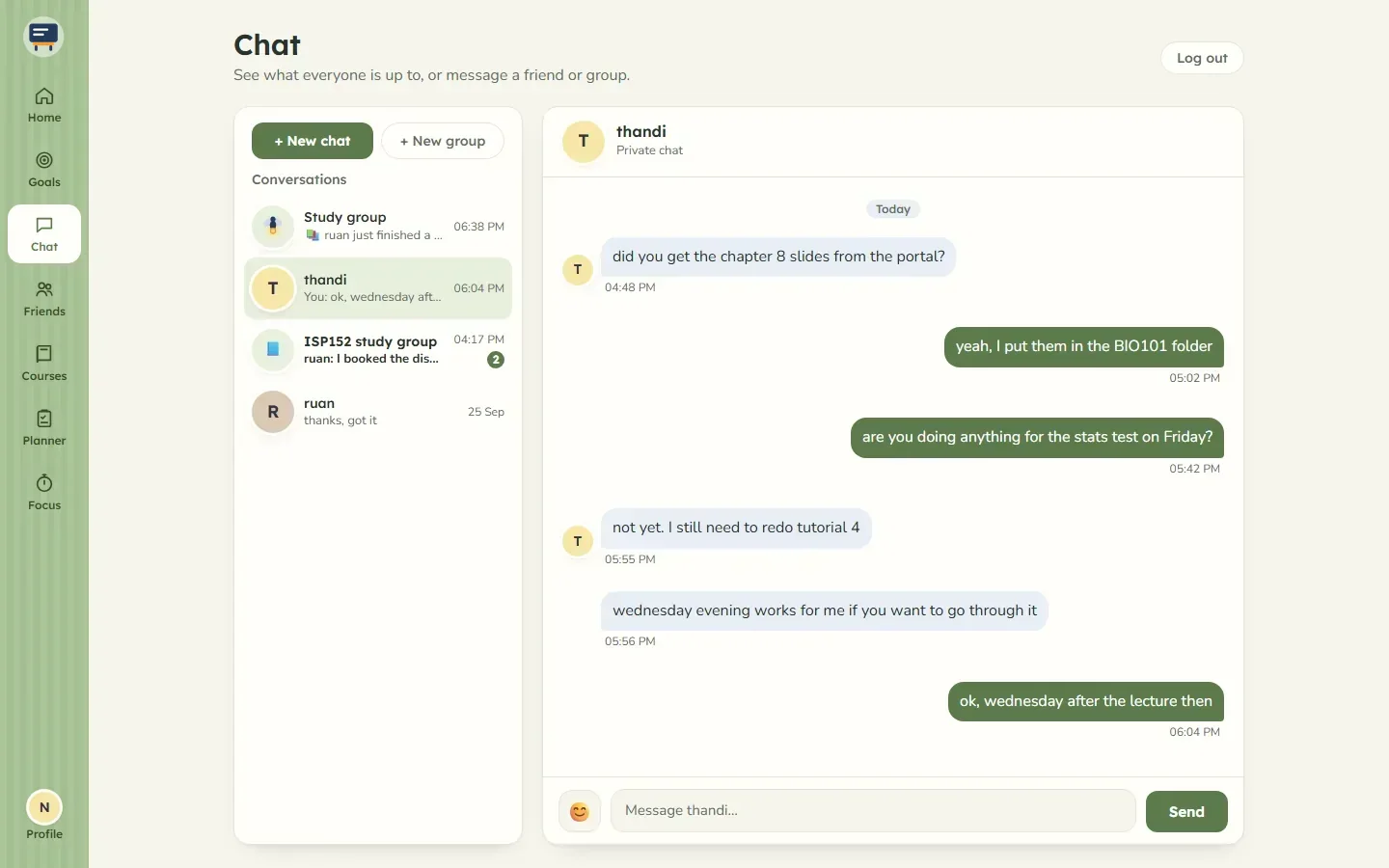
Chat · the friends they invited
Private chats and group chats, with the people a student has invited and accepted. There is no directory, no discovery and no way for a stranger to appear.
Friends see whether someone is studying right now and for how long, and a short note when a session of ten minutes or more finishes. The live status never says what is being studied. A group chat is also what a study room is made from. More on how friends work.
Fifteen themes
The screens above are all in one theme, called Meadow. There are fifteen, and the choice carries across every screen. It is not decoration for its own sake: a student who is in an app for four hours at a stretch should be able to choose what that looks like, including the quiet dark ones for studying at night.
What is not finished
Homeroom is built but not launched, and it is worth saying which parts of that are still open.
- Accounts are not open yet. The sign-up page says so rather than taking details it cannot use.
- Two things need a second person to test properly — the live presence in study rooms, and the group timer — because neither can be checked alone.
Everything on this page is built and working. What Homeroom is, and what it will not do.